To use any mxHero application with Gapps you must first enable API access, for this task you have to be signed in as a super administrator if you don't please switch to administrator account now.
To know who is your Administrator please follow this link.
Enable API access
- Open your admin console.
- From the Admin console dashboard, go to Security.
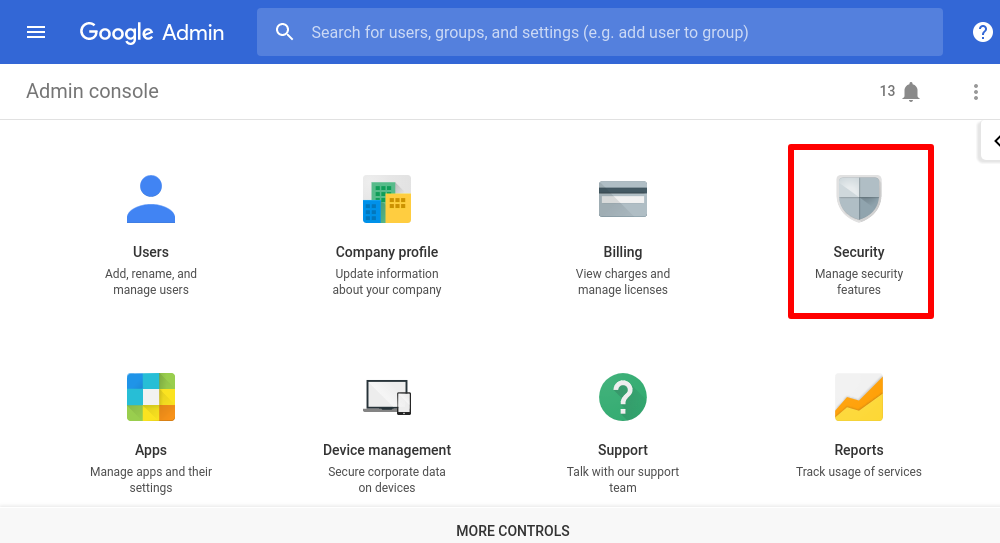
To see Security on the dashboard, you might have to click More controls at the bottom.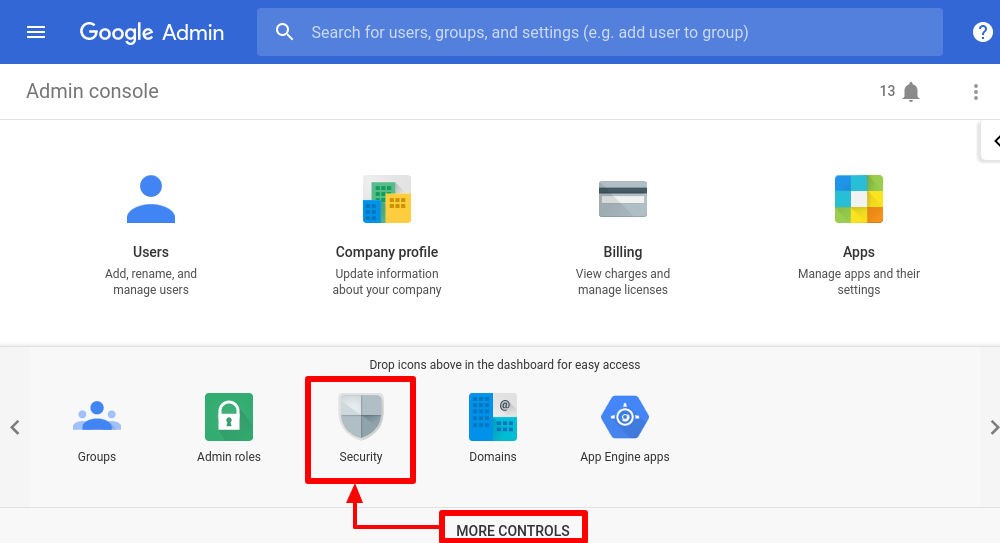
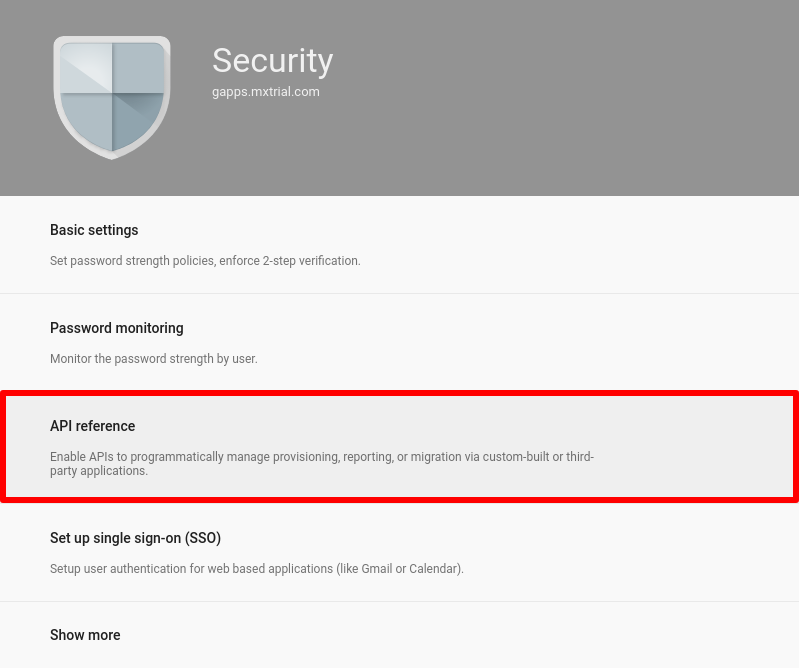
- Click on API reference.
- Make sure the Enable API access box is checked.
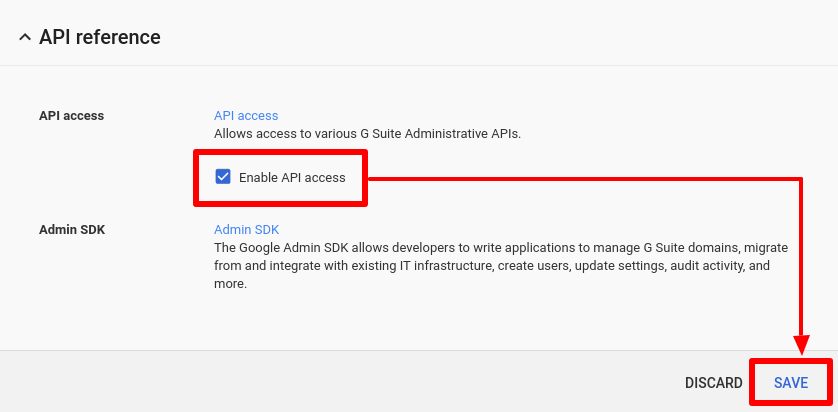
- At the bottom, click Save.
Comments